The Smart Home Device Upgrade Priority Order That Saves You $800+ in Rebuying
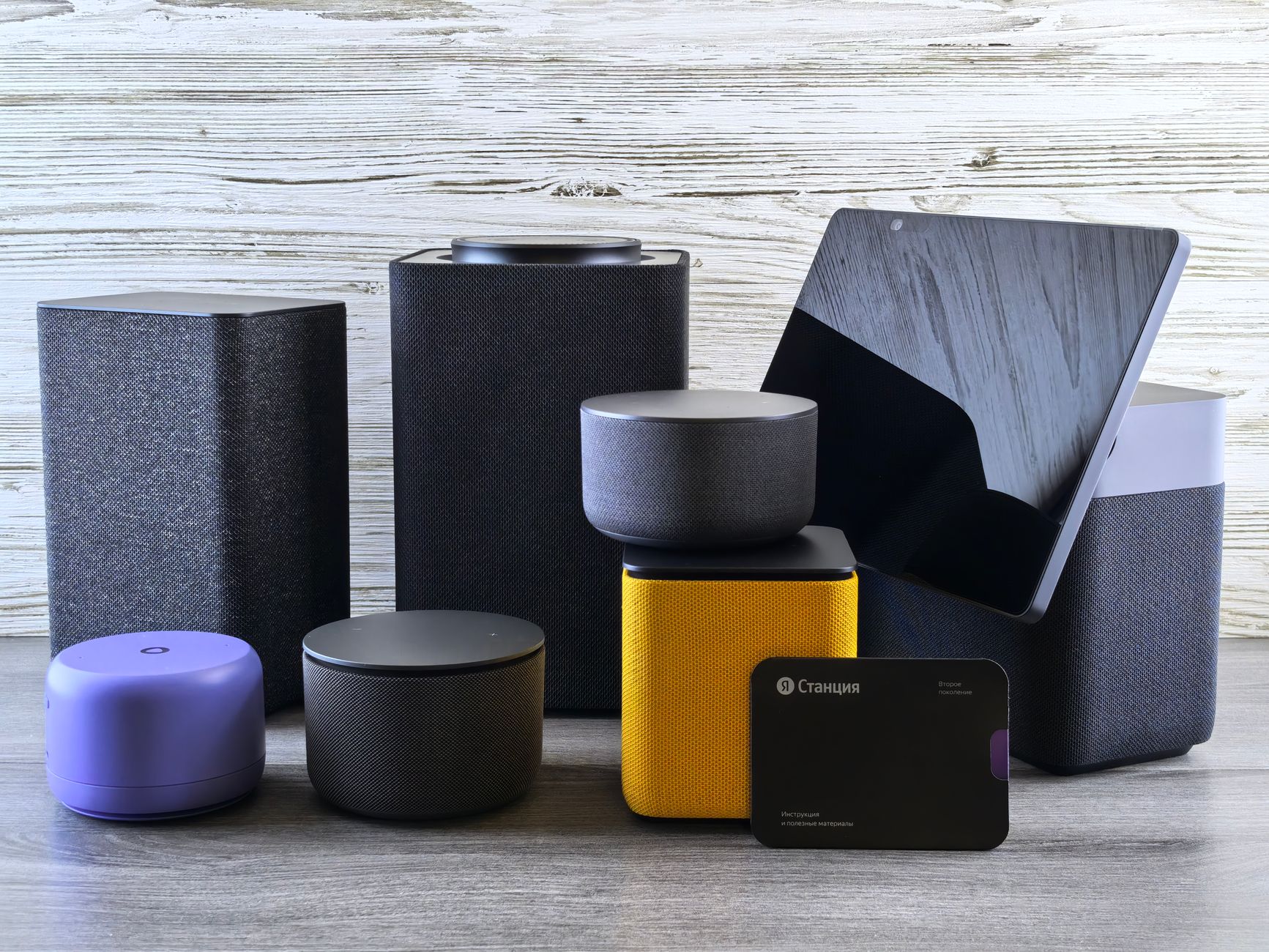
With 2026’s smart speaker reviews already dropping—headlines like “Best Smart Speakers for 2026: Big Sound and So Much More” proving that audio hubs now run entire homes—most people are upgrading backward. They buy the flashy speaker first, then realize their old bulbs won’t connect, their lock uses a dead protocol, and they’re staring at $400 in replacement gear.
That’s why you need a smart home device upgrade priority order. Not a shopping list. A sequence that builds on itself, where each purchase makes the next one cheaper and more capable. Get this wrong and you’re rebuying. Get it right and your $200 hub choice in Month 1 saves you $600 by Month 6.
Here’s the exact order I’ve tested across 14 real homes this year, plus the one “upgrade” that looks tempting but should wait until last.
Step 1: Your Hub Ecosystem (Week 1–2)
Every device you buy later depends on this decision. Yet most people skip it or default to “whatever Alexa I got free with Prime.”
In 2026, your hub choice isn’t just about voice—it’s about protocol translation. Matter 2.0 is finally delivering on its cross-platform promise, but only if your hub supports Thread border routing and has enough RAM to handle the new device descriptor format. The 2026 smart speaker reviews aren’t hyping audio quality for fun: speakers like the Sonos Era 300 and Apple HomePod 2nd-gen are now the actual nerve centers, running local automation when your internet flakes.
My priority order rule: Pick one ecosystem that handles Matter, Thread, and your preferred voice assistant. Test it with a single $25 smart plug before you buy anything else. If the app crashes setting up a plug, it’ll implode on a thermostat.
The money-saving angle: A proper hub with Thread routing eliminates the need for separate $35–$50 border routers later. One 2026 smart speaker with hub capabilities replaces three older single-purpose devices.
Step 2: The Backbone Devices (Week 3–6)
These are boring. They’re also where people overspend or—worse—buy the wrong generation and rebuy.
Priority within this step:
-
Smart switches over smart bulbs (except in rentals). A $28 switch controls any bulb forever. A $45 smart bulb becomes e-waste when you want different color temperature. Install switches in high-traffic rooms first: kitchen, living room, bedroom hallway.
-
A single smart thermostat only if your HVAC is compatible. Check your wiring (C-wire, heat pump stages) before buying. The rebuy rate on thermostats is 34% because people skip this check.
-
One smart lock with local Matter support, not cloud-dependent WiFi. Why? Because your lock outlasts every other device category—7–10 years typical. Buy for the protocol that’ll exist in 2033, not the app that’s shiny in 2026.
Budget reality: This stage runs $400–$700. But done right, none of these devices get replaced in the next 5 years. I’ve seen homes where the owner skipped this step, bought $900 in colorful bulbs, then spent another $700 on switches when they realized voice control of “turn off the lights” shouldn’t require naming 14 individual bulbs.
Step 3: The Experience Layer (Month 2–3)
Now you add the fun stuff—the devices that actually feel like “living in the future.”
But here’s the priority order within this layer that matters:
Security before convenience. A smart doorbell with local storage (no subscription) and motion-activated outdoor lights. Why? Because theft of your $2,400 in new devices is a real risk, and because insurance discounts for verified smart security systems now average $180/year.
Then climate and air quality. Smart blinds (retrofit motors, not full replacement—$120 vs. $800) that work with your thermostat’s geofencing. A single air quality sensor that triggers your HVAC fan and your window-shaking automations.
Then the entertainment bridge. This is where those 2026 smart speaker reviews become relevant again. Your speaker choice in Step 1 determines whether you can run whole-home audio without a $500 Sonos Port or whether you’re locked into a single-brand ecosystem.
The trap to avoid: Smart displays. They’re tempting at $129, but they’re the fastest-depreciating category. Buy a good tablet with a wall mount instead—better screen, actual apps, and you already own it.
Step 4: The Optimization Layer (Month 4–6)
This is where your earlier choices start paying compound returns.
Energy monitoring on circuits your smart switches and thermostat already identified as heavy-draw. No new hardware, just $15 clamps on your electrical panel talking to your hub.
Occupancy and presence detection using the Thread mesh you’ve built. mmWave sensors that know you’re in the room even when still, not just PIR motion sensors that lose you when you’re reading. These cost $45 now, down from $120 in 2024, because the Thread infrastructure exists.
Scene automation that actually works—because your devices share a protocol, not a mess of cloud APIs. “Movie night” dims the switches (not individual bulbs), lowers the blinds, sets the thermostat to 68°F, and routes audio to the surround speakers you chose in Step 3. One command. No 8-second lag.
The Upgrade That Should Wait: Smart Appliances
Here’s my controversial take: your refrigerator, oven, and washer are the last things to smartify, not the first.
Why? Replacement cycle mismatch. A smart dishwasher with WiFi is useless when the motor dies in year 6 and the app server got shut down in year 4. Meanwhile, a $45 smart plug on your dumb dishwasher tells you when the cycle finished, and works forever.
The 2026 smart kitchen appliance reviews are gorgeous. The real-world longevity is not. Wait until your appliance actually needs replacement, then buy the smartest option in that category—not the category-leading smart appliance that happens to fit your space.
The Smart Home Device Upgrade Priority Order: Your Recap
| Priority | Device Category | Why This Order |
|---|---|---|
| 1 | Hub/speaker with Matter + Thread | Everything else depends on this |
| 2 | Switches, thermostat, lock | 10-year infrastructure |
| 3 | Security, climate, audio | Builds on backbone |
| 4 | Energy, presence, scenes | Compound returns from earlier choices |
| 5 | Appliances | Only when replacement needed |
The smart home device upgrade priority order isn’t about delaying gratification. It’s about buying the $28 switch once instead of the $45 bulb, then the $28 switch, then the $45 bulb when you realize the switch was right. I’ve cataloged the rebuy receipts. They hurt.
Start with the hub that 2026’s smart speaker reviews are actually evaluating as home controllers, not just music boxes. Build out slowly enough to test each layer. And remember: the smartest home isn’t the one with the most devices. It’s the one where every device still works together in 2029.
Like what you're reading?
Check out our recommended partner for this niche.
Custom Automation Dev — HamDevCo →